Visible data sources
See the source label next to the citation so you can judge how much to trust the record before you copy it.
CrossRefGoogle BooksURL metadataNLMManual entry
Use this citation generator to cite a DOI, ISBN, URL, title, or manual source. CitationGen looks up public metadata, shows the source trail, flags missing fields, and keeps every result editable before you copy.
Why it feels safer
CitationGen is built for students, lab writers, and researchers who need the result fast, but still want to verify what is missing before they paste it into an assignment.
See the source label next to the citation so you can judge how much to trust the record before you copy it.
See whether a result came from CrossRef, Google Books, URL metadata, NLM, or manual entry.
Review missing author, date, page, DOI, ISBN, and URL details before you copy.
Correct source details, regenerate the citation, then copy it or save it to your library.
Jump into APA, MLA, Chicago, AMA, ACS, or IEEE without learning a different interface for each style.
Start with the source detail you have, confirm where the data came from, then make the final citation ready to use.
Start with a DOI, ISBN, URL, title, or rough source note. CitationGen searches public metadata first, then keeps the result editable.
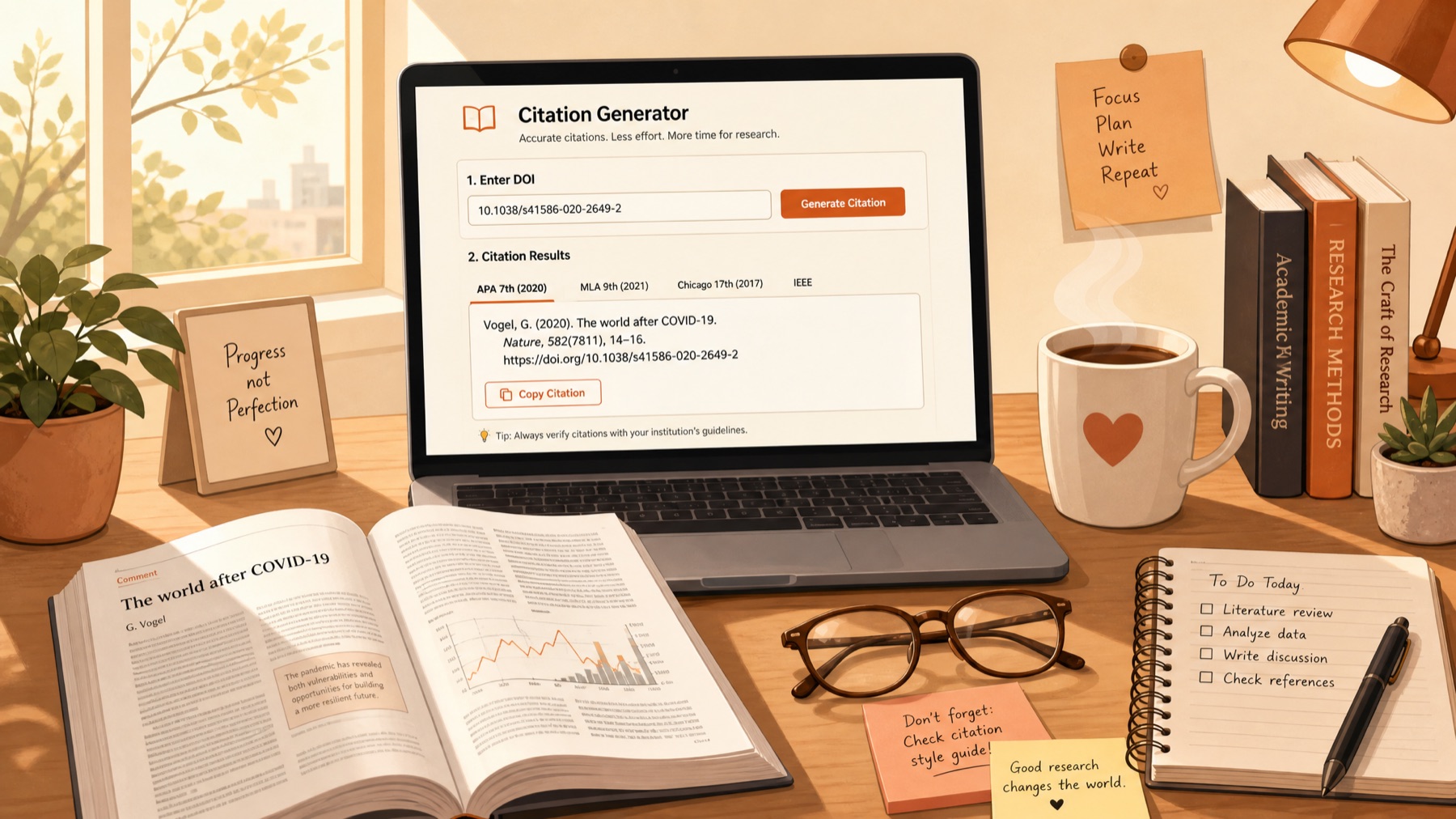
Check the source label under each result so you know whether the metadata came from CrossRef, Google Books, URL metadata, NLM, or manual entry.
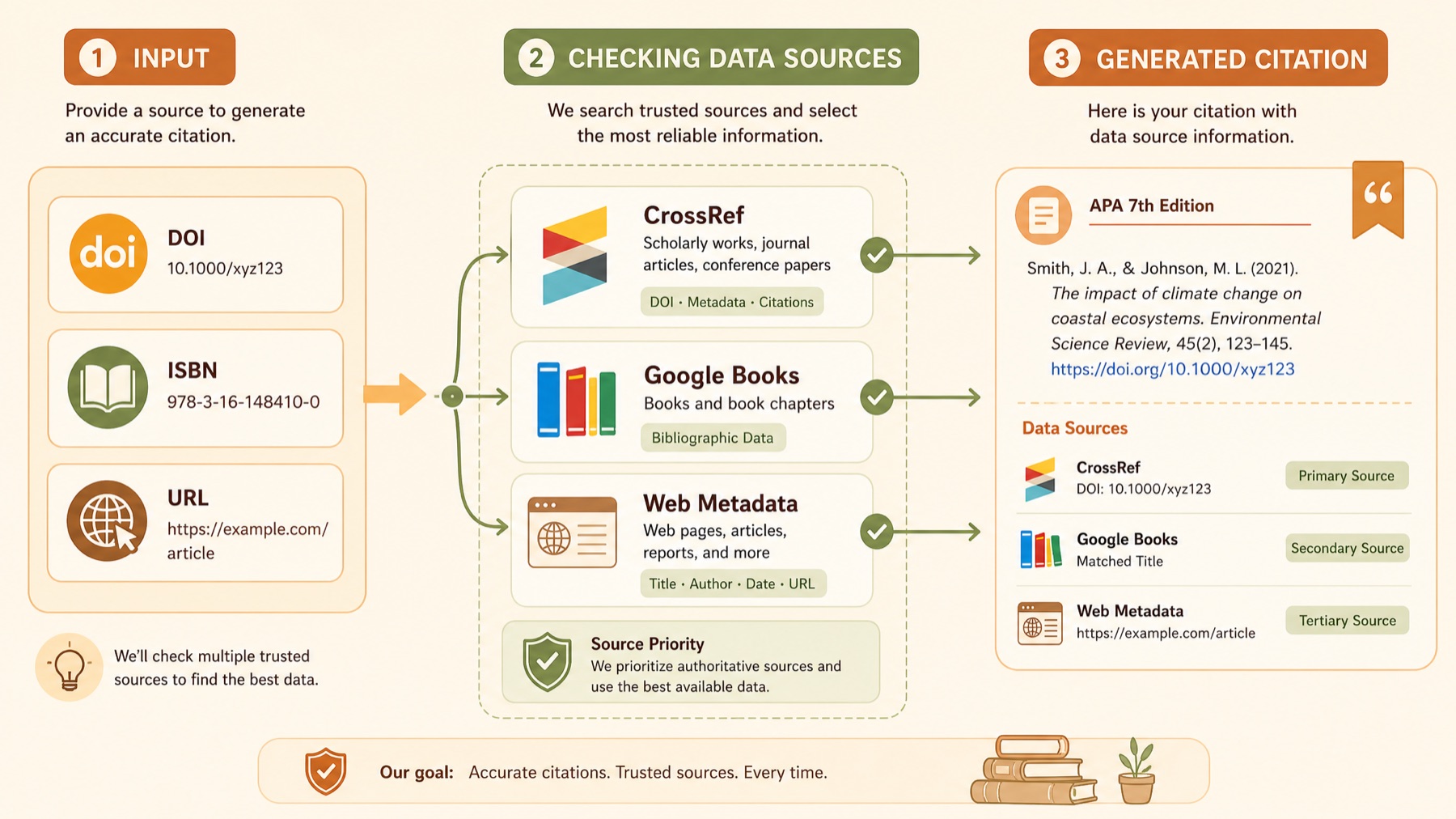
Review warnings, edit incomplete fields, and copy the final citation only after the source details match your assignment or journal requirements.
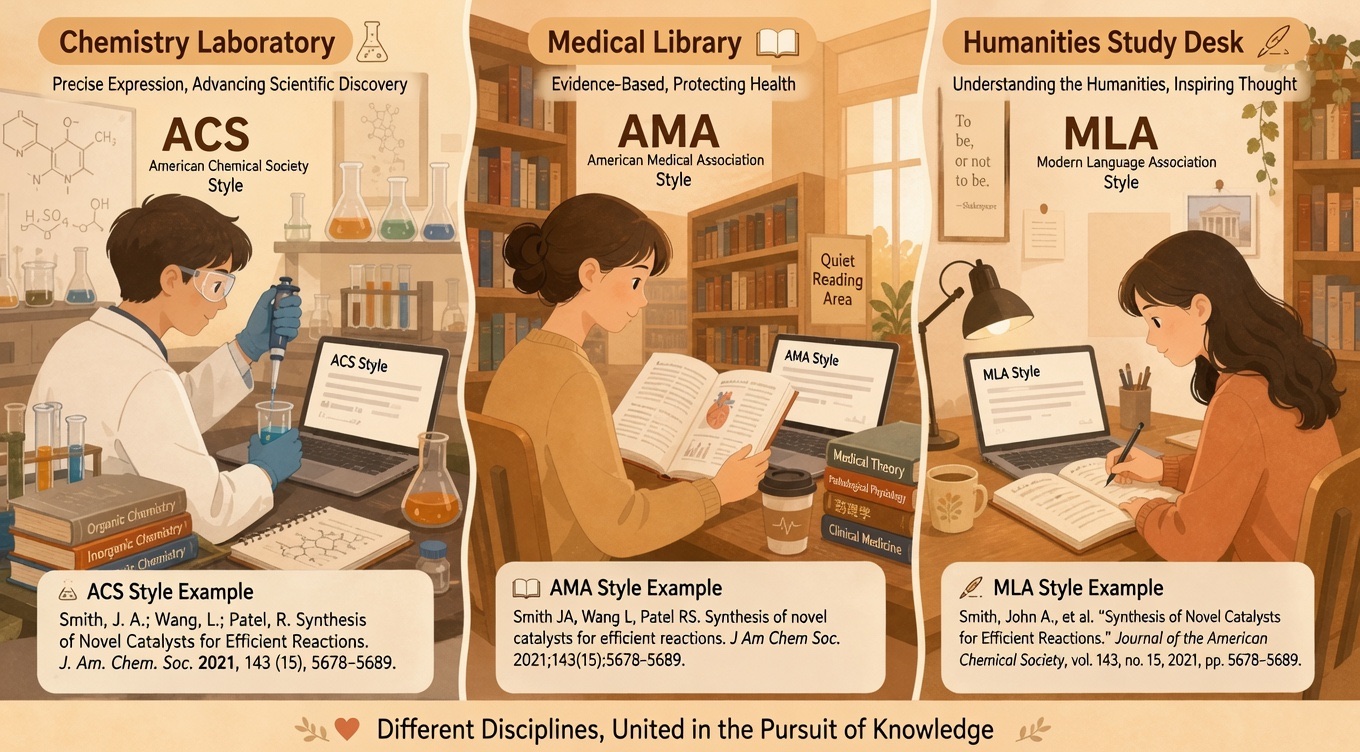
Choose by assignment
If your instructor already named APA or IEEE, open it directly. If not, start with the writing context below and choose the style that fits the assignment.
Journal article, lab source, website, or book chapter. Keep the review step visible either way.
Start with a DOI or article title when the source came from a journal database. These citations usually depend on clean journal metadata and visible abbreviation checks.
Best fit for chemistry, life science, and lab-heavy coursework.If the assignment centers on books, chapters, archives, or literary criticism, open a style that keeps authorship and publication context easy to review before you copy.
Useful for literature, history, theology, and writing seminars.Use a style that handles mixed source types well when you are citing articles, websites, reports, and organization pages in the same paper.
A good path for social science, education, health, and policy writing.Numeric styles work well when your references come from journals, conferences, standards, manuals, and product documentation.
Common in engineering, computing, applied science, and capstone work.Browse the full generator directory without leaving the homepage.
People usually come here when the source looks almost complete, but still needs one careful pass before it goes into the final paper.
“I need the citation quickly, but I still want to see whether the page is missing an author or date before I paste it into the paper.”
If a page does not expose a clear author line, you should see that gap before you copy the citation.
Web sources often need a manual date, site name, or title cleanup. The result should help you spot that immediately.
Volume, issue, pages, DOI, and abbreviated journal titles matter most when the citation is headed into a paper or report.
Short answers for the moments when a DOI is incomplete, a website has thin metadata, or you need to edit before you copy.
You can paste a DOI, ISBN, URL, article title, book title, or enter source fields manually. Public lookups are used when a reliable record is available.
No. Missing author, date, page, DOI, ISBN, or URL details are surfaced as warnings so you can review them before copying.
Citation quality depends on metadata quality. Labels such as CrossRef, Google Books, URL metadata, NLM, or manual entry help you judge the result.
Yes. Authors, title, date, journal, publisher, DOI, URL, ISBN, volume, issue, and page fields remain editable before you regenerate or copy.
CitationGen supports common academic styles including APA, MLA, Chicago, Turabian, Harvard, AMA, ACS, CSE, IEEE, Vancouver, and NLM-backed journal abbreviation workflows.